
“We’ve been using Thinking Software for several years now, and it’s been a game-changer for our business.”Read the full testimonial
 Rota Planning Tools
Manage your entire workforce with simple, flexible shift planning.
RotaOne makes shift planning easy. Create ad-hoc shifts in seconds, or build complex rotating shift patterns in minutes. Make sure you have the right number of people, with the right qualifications and skills, in the right place at the right time.
Build teamwork and stop confusion by keeping employees up to date with the RotaOne employee app. Control your staffing costs with budget planning, and monitor all working and absence time in one place.
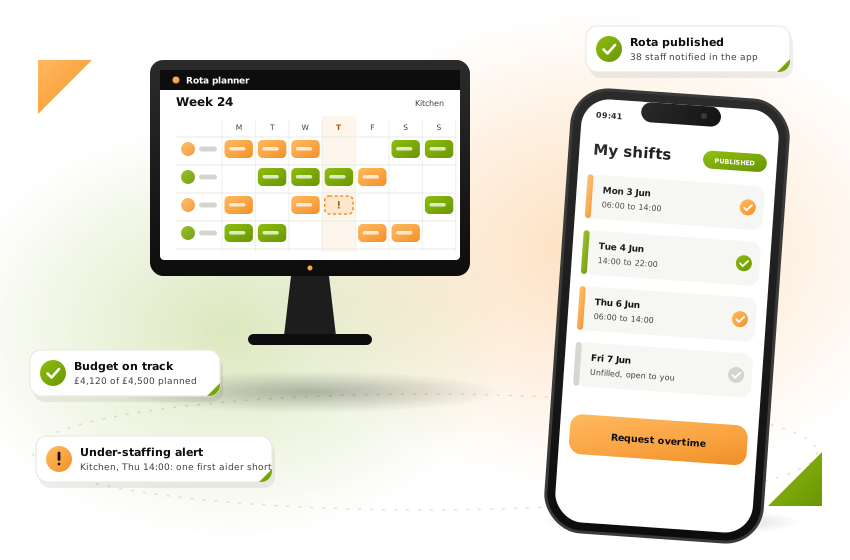
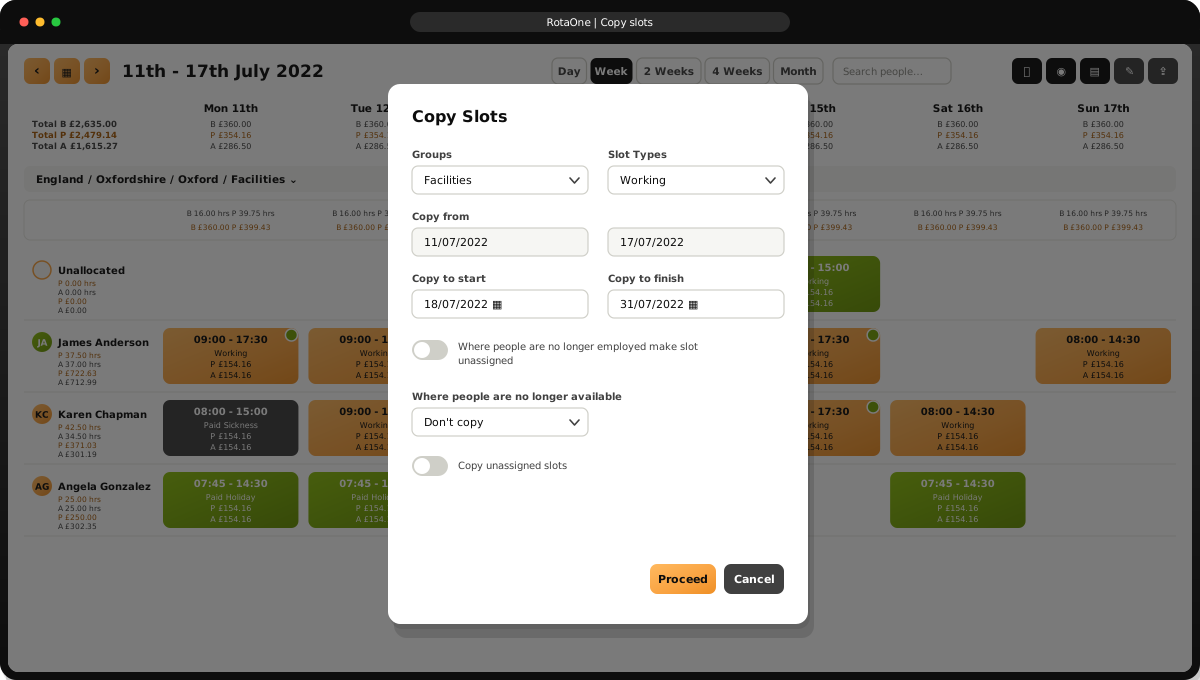

Pick the person, the day and the times, and you are done. Need to move or duplicate a shift? Simply drag and drop it.
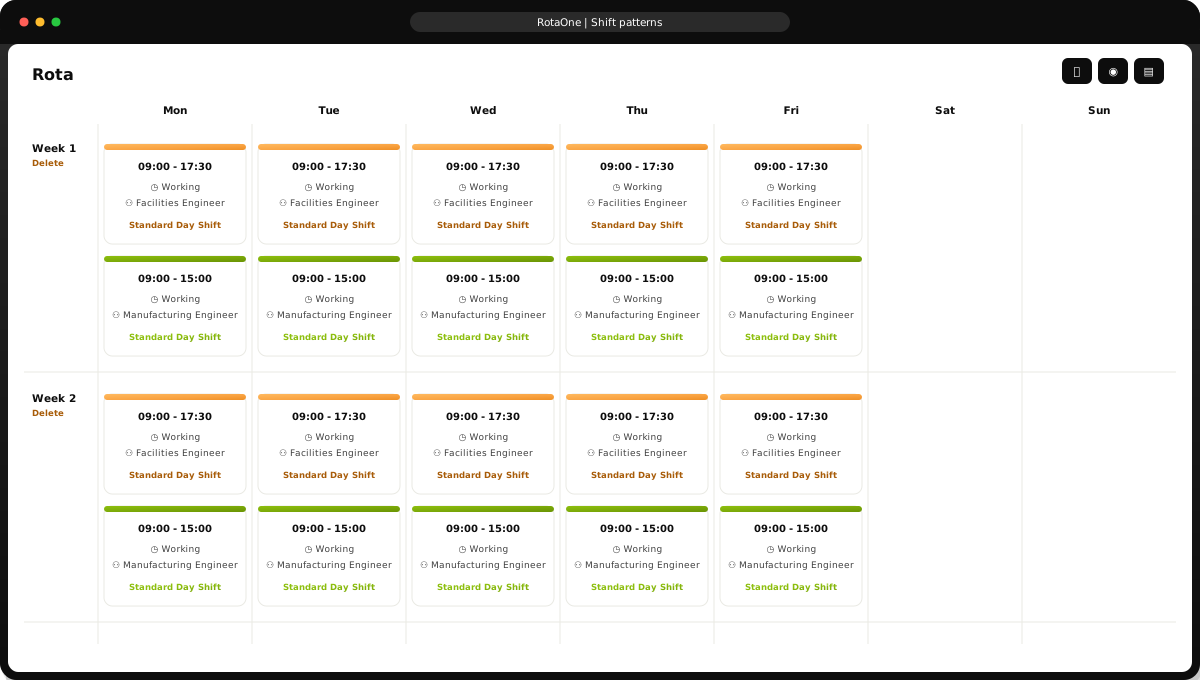

Shift patterns are a breeze to create and manage. Build patterns for your workforce, then roll them out into the future with RotaOne automation.
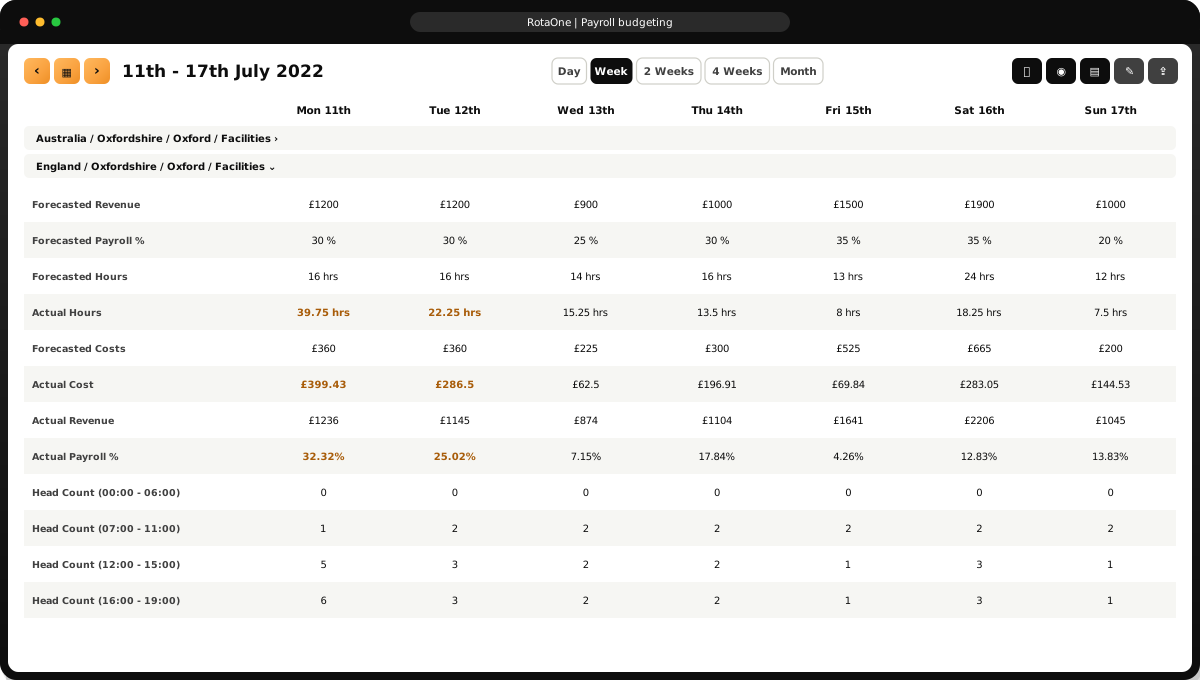

As you build rotas, set budget limits for each department. RotaOne checks budget performance in real time, so managers see immediately if a budget is broken.
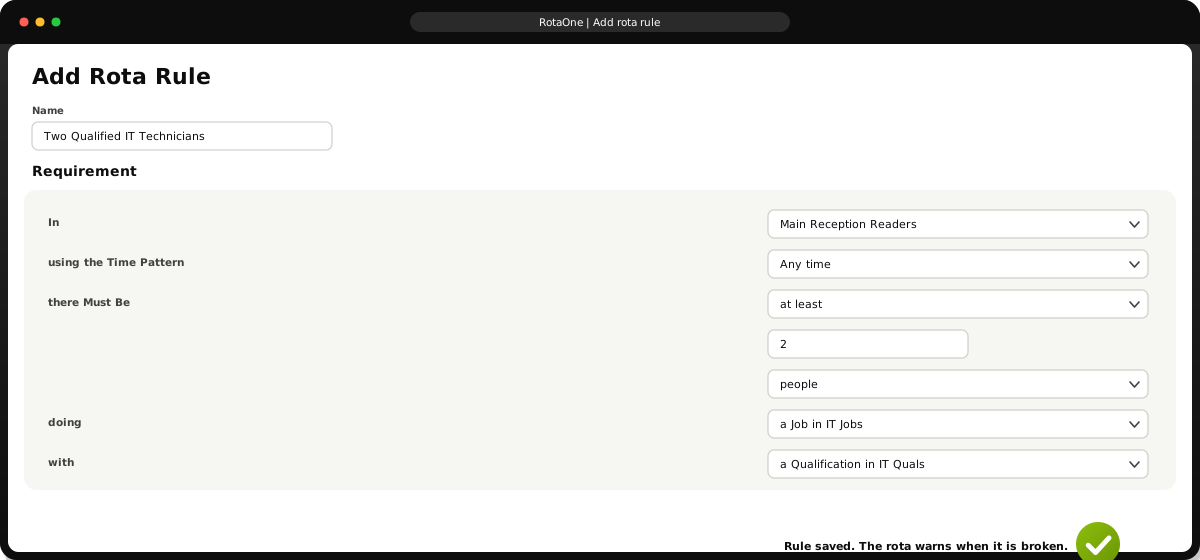

To improve safety and efficiency, set minimum and maximum levels for particular kinds of employee, such as first aiders or forklift drivers, and get real-time warnings when staffing drops below your compliance thresholds.
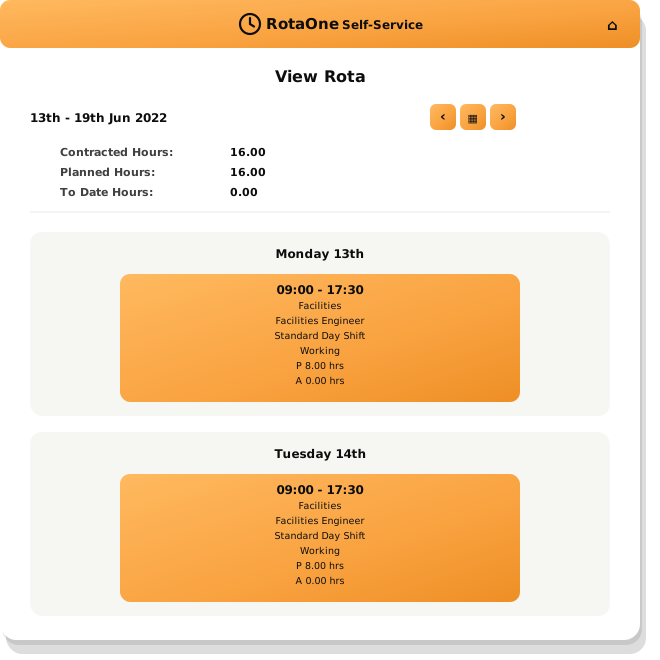

Don’t waste time or paper sending emails or printing rotas from a spreadsheet. The RotaOne employee app helps your workforce see and stay in touch with their schedules, past and future.
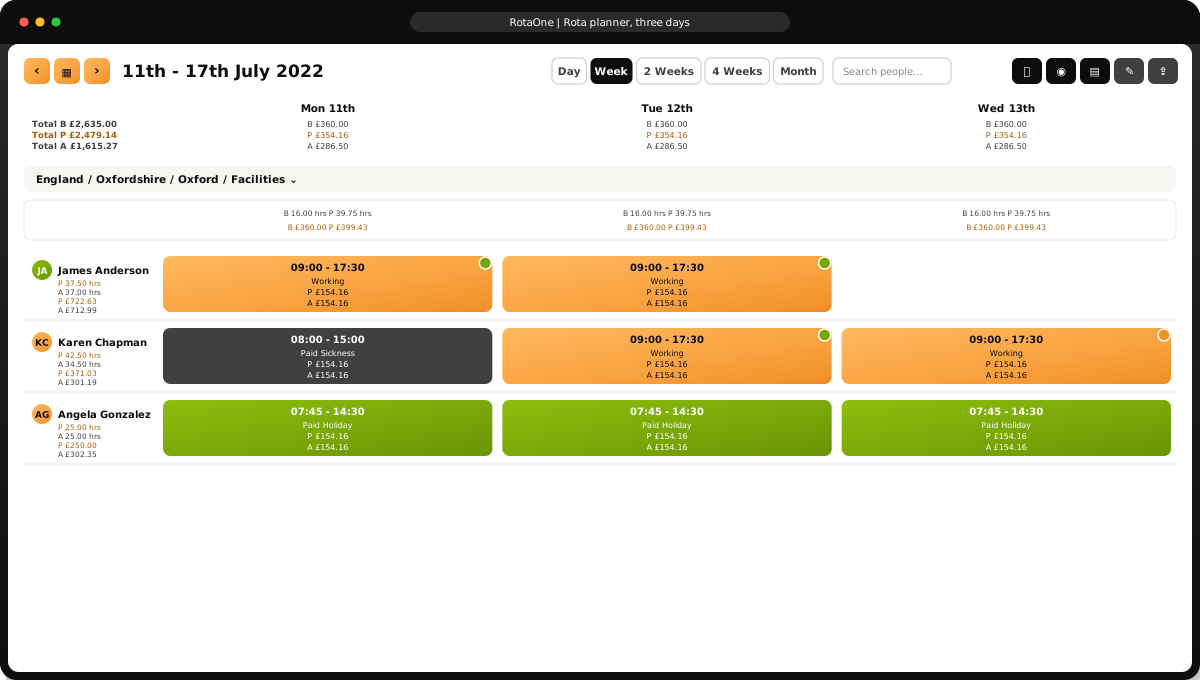

Get a grip on your rotas and payroll costs with daily, weekly, monthly and yearly views. Costs, hours, budgets, planned and actuals, all in one place and a click away.
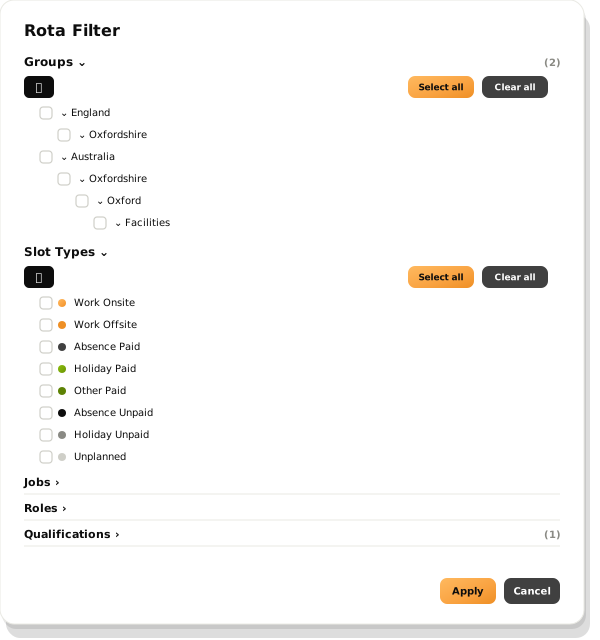

Whether you are checking who is on holiday next month or need to find a first aider or a supervisor in an emergency, RotaOne’s flexible searching delivers the answer in an instant.
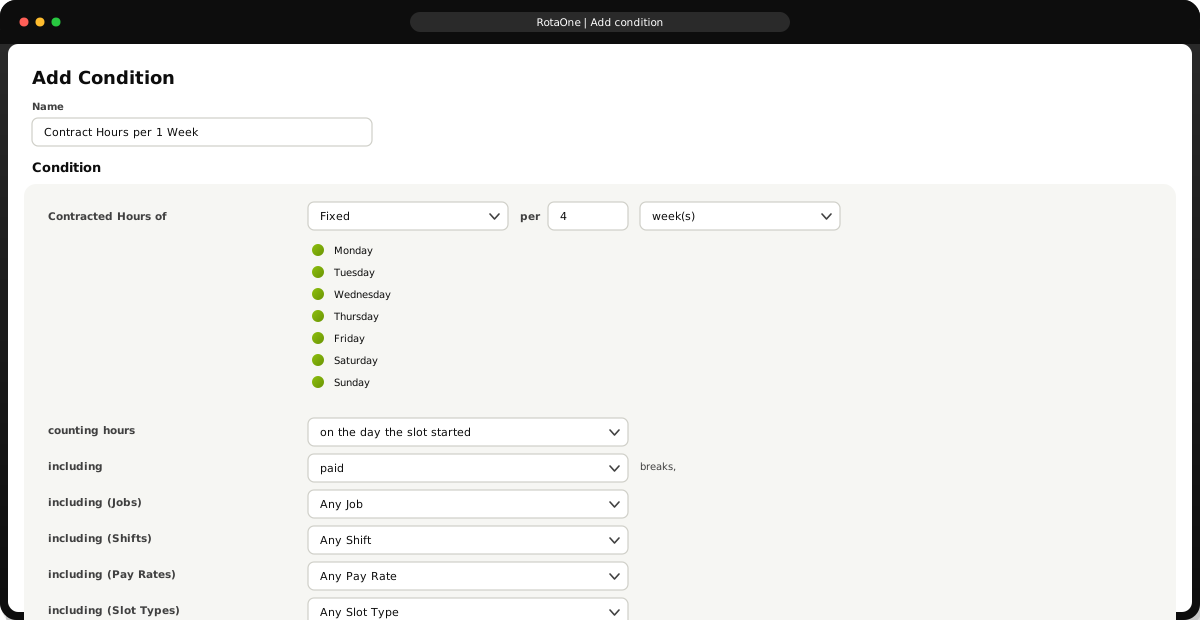

Employee contracts often control when or how long an employee can work. RotaOne helps your managers stay inside those limits.
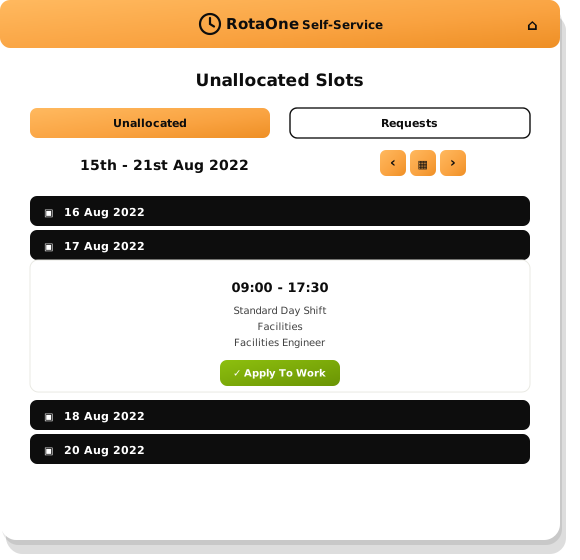

Employees can see unfilled shifts in the app and put themselves forward, so gaps are covered by your own people rather than agency staff.
 Staff Rota PlannerStaff rota planning software that helps cut your costs, boost your efficiency and build your team.Learn moreShift PlanningManage your entire workforce with simple, flexible shift planning.You are here
 Staffing Levels and ComplianceRotaOne can help make sure that the right staff are in the right place at the right time.Learn more
 Mobile AppImprove workforce communications, and build better teamwork with RotaOne’s self-service app.Learn moreClocking DevicesRotaOne supports a wide and expanding range of clocking terminals and clocking machines.Learn more
 Roll CallQuickly account for your staff in an emergency. Nobody left behind.Learn more
 Absence ManagementRotaOne makes absence management flexible, simple and clear, whatever sort of absence you need to manage.Learn moreHR ReportingSpecialist reporting tools and document storage for HR managers.Learn more
 Employee Self ServiceAn employee self-service app to improve workforce communications and build better teamwork.Learn more
 Payroll ReportsControl your payroll costs, and ensure your employees are paid accurately.Learn more
 Payroll ExportsPayroll data that is complete, properly formatted and ready on time.Learn more
 Staff Annual Leave PlannerEasily configure, track and manage staff annual leave, no matter how complex your holiday policies.Learn more
“We’ve been using Thinking Software for several years now, and it’s been a game-changer for our business.”Read the full testimonial
“I am writing this testimonial to express our utmost satisfaction with RotaOne, the cloud-based time and attendance software from Thinking Software.”Read the full testimonial
“I would definitely recommend RotaOne as a time and attendance system.”Read the full testimonial
Hosted on Microsoft Azure, certified to ISO 27001 and Cyber Essentials Plus, and registered with the Information Commissioner’s Office.

























See Shift Planning working with your own rotas
Sixty minutes with a RotaOne product specialist, using your sites, shift patterns and payroll as the example.